How Do I Cancel my Shopify Apliiq VIP Membership?
From time to time, our partners may wish to opt out of Apliiq's VIP monthly membership program. Apliiq has no problem with our partners picking and choosing when the VIP discount makes the most sense for their brands, but Shopify actually makes canceling an app subscription a little more difficult than you might expect.
Now, the Apliiq VIP membership is paid by our partners to Shopify Billing directly.
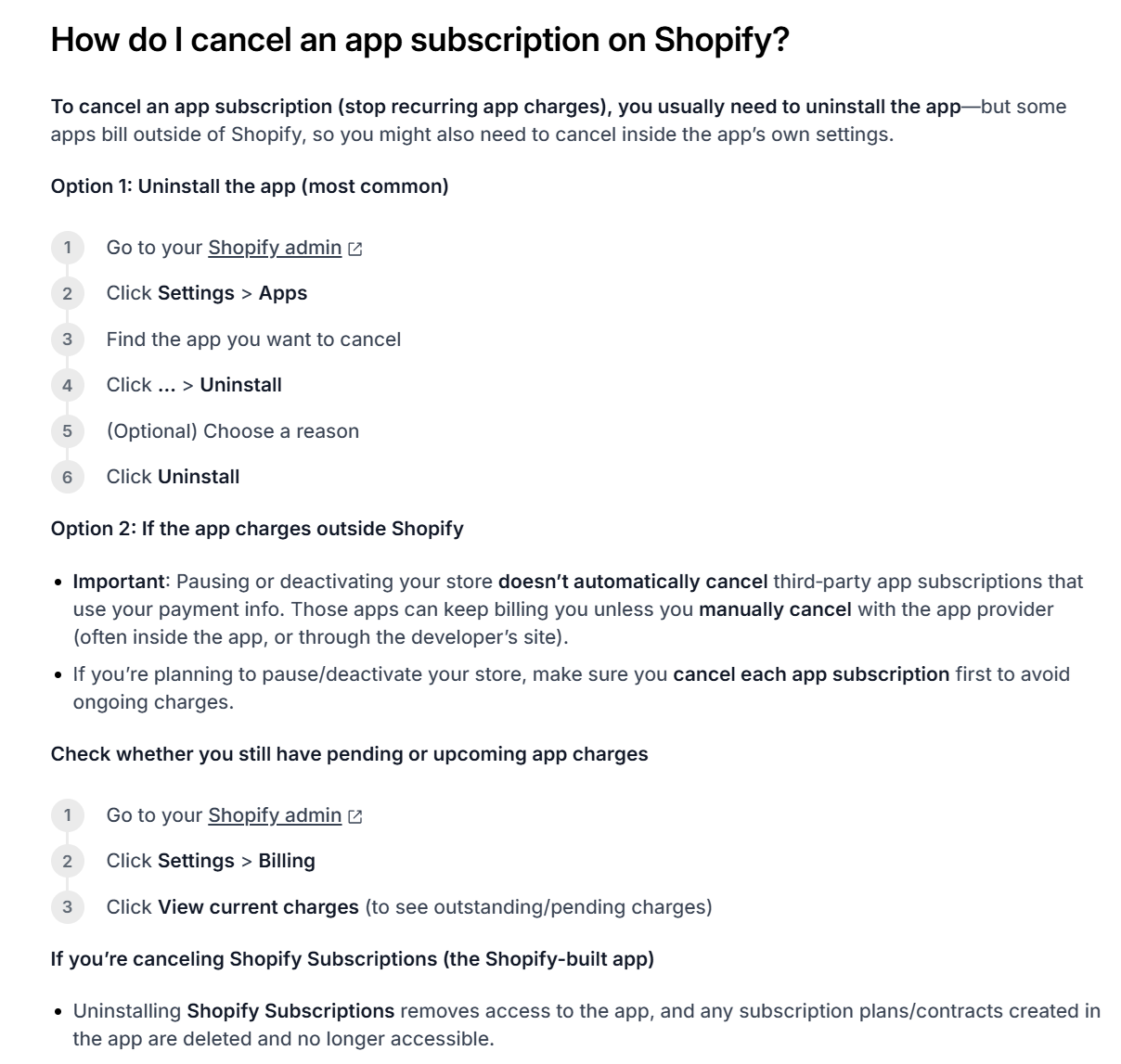
And when that is the case, per Shopify's own support and documentation, the only way to cancel an app's subscription is to fully uninstall the app associated with the monthly charge, Option 1 in the screenshot below:
Now, the Apliiq VIP membership is paid by our partners to Shopify Billing directly.
And when that is the case, per Shopify's own support and documentation, the only way to cancel an app's subscription is to fully uninstall the app associated with the monthly charge, Option 1 in the screenshot below:
After you fully uninstall the Apliiq app, we recommend confirming with Shopify Support that the VIP membership has effectively been canceled.
Once confirmed though, you should be able to reinstall the Apliiq app to continue using Apliiq as a print-on-demand vendor up in your Shopify store. You will just no longer pay the $39.99 monthly cost or enjoy the 20% dropship product price discount.
Once confirmed though, you should be able to reinstall the Apliiq app to continue using Apliiq as a print-on-demand vendor up in your Shopify store. You will just no longer pay the $39.99 monthly cost or enjoy the 20% dropship product price discount.