Trouble logging into my account

If you attempt to login to your account unsuccessfully too many times, your account will automatically become locked as a security precaution. It will automatically be unlocked after a couple hours of inactivity.
How to reset your password
Apliiq provides tools to help you recover your account if you have forgotten your password.
1. Go to the Apliiq sign up & login page
2. Click the "forgot password" link:
3. Enter your email address associated with your account and click "reset password."

Please be careful to only request a reset your password one time. If you request a reset more than once, you will need to wait for the last email containing your new password, as the previous attempts will be invalidated.
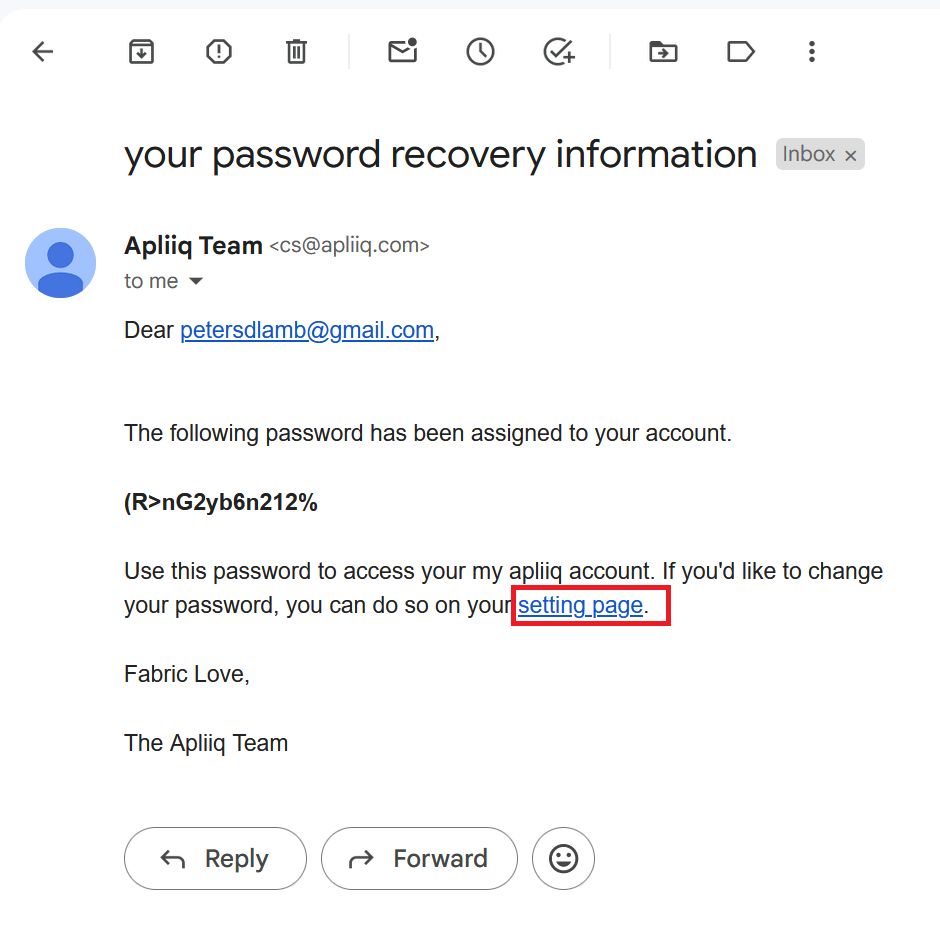
4. Check your email. It will be sent from cs@apliiq.com with the subject "your password recovery information." You will need to use the password provided in this email to log back into your apliiq account. But this temporary password will ONLY work on the login portal accessed by the "setting page" hyperlink at the end of the password recovery email. You MUST copy and paste the password to enter it at that specific login screen to gain access to your account again:
5. Once you are logged in, set a new password on your the profile page within your account.